

APAAR Card
One Nation, One Student ID
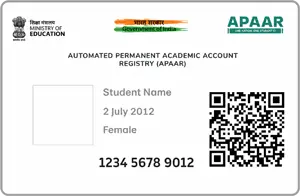
APAAR Card stands for Automated Permanent Academic Account Registry. Introduced by the Ministry of Education under the National Education Policy (NEP) 2020, it is popularly known as the “One Nation, One Student ID” initiative.
It acts as a lifelong digital academic passport for students in India, tracking their entire educational journey from pre-primary all the way through higher education.
Every registered student receives a unique 12-digit APAAR ID that remains the same throughout their life, serving as a permanent academic identifier.
It uses Aadhaar for identity verification and pushes all data directly into the student’s secure DigiLocker account, ensuring safe and authorized access to academic records.
It automatically tracks and accumulates academic credits earned during college or university courses, providing a comprehensive record of educational achievements.
Digitally stores exam results, report cards, degrees, diplomas, certificates, and even scholarships or education loan details in one secure location.
If a student changes schools or moves to a different state, their entire academic history transfers instantly just by sharing their APAAR ID. No more chasing physical paperwork.
Beyond exams, it logs co-curricular achievements, sports activities, Olympiad rankings, and skill training, providing a complete picture of student development.
Employers and universities can easily verify an applicant’s credentials online, drastically reducing manual verification fraud and administrative delays.
Generally, schools and colleges initiate the registration process for APAAR Card enrollment.
For minors, parents must fill out a voluntary consent form allowing the school to use the student’s Aadhaar data for registration.
The student’s name, date of birth, and gender on the school registry (UDISE+) must exactly match their Aadhaar card for successful verification.
Once verified, the ID is generated and can be downloaded via the Academic Bank of Credits (ABC) portal or accessed via DigiLocker.